
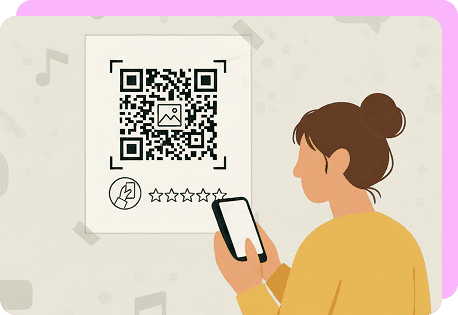
Why Use QR Code Surveys
Using a QR code survey is an effective way to capture client feedback with minimal effort. By scanning a code, users can instantly access your form or questionnaire with no typing or searching needed. It’s a straightforward way to invite someone to take a survey.
Here are some key benefits:
- A quick scan helps more people participate in seconds, increasing your overall feedback volume.
- A feedback QR code provides a contactless way to collect opinions in person.
- You can place your code on posters, receipts, product packaging, or emails.
- You can capture instant responses as experiences happen.
- It’s useful for professionals who want to reach audiences without relying on email links.
- A QR code questionnaire reduces printing and manual distribution costs.
Professionals and freelancers who pair a survey maker with a QR code generator can turn any form into a mobile experience.
How To Make a Survey with a QR Code
With OnlineQRcode, creating a survey QR code is quick and intuitive. Our generator allows you to personalize your design, add your logo with AI, and share your survey instantly.
Here are the simple steps to follow:
-
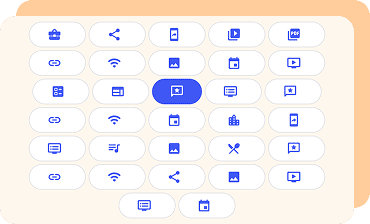 1. Select your QR code type
In our tool, choose the Feedback option.
-
 2. Enter your survey link or information
Add your Google Form, Typeform, or survey URL. Make sure all the details are accurate before finalizing.
-
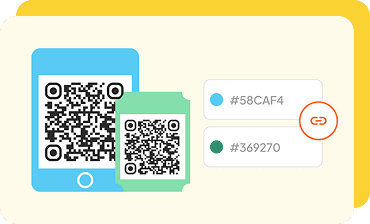 3. Customize your design
Add your logo, adjust colors, or let our AI generate a unique logo for your QR code, so that your users can recognize your brand right away.
-
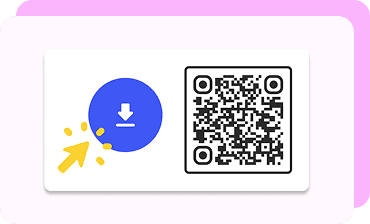 4. Download and share your code
Export and add your code to flyers, screens, receipts, or email signatures.
You now have a QR code feedback link ready for quick, mobile responses.
How Professionals Can Use a QR Code Survey
A poll with a QR code can be a valuable tool for professionals across many fields. Below are examples of how different experts can use QR code surveys to gather opinions and insights efficiently.
Healthcare professionals
If you are a Healthcare specialist, you can include a QR code survey flyer in waiting areas or after appointments. Patients scan the code to share their experience, rate services, or suggest improvements. It helps youunderstand patient satisfaction and make data-driven improvements, while maintaining confidentiality and ease of use.
Restaurant owners
Place a feedback QR code on menus, tables, or receipts to let diners instantly share reviews about their meals or service. This quick-access method increases the number of responses and helps restaurants refine their menu or service quality. It also shows diners that their opinions are valued.
Photographers
If you are working as a freelance photographer, you can attach a QR code questionnaire to client galleries, contracts, or thank-you cards. Clients can rate their photoshoot experience and provide honest feedback about communication or delivery time. This enhances service quality and builds trust, leading to future referrals.
Real estate agents
Surveys on property brochures or open house signs can really help you out as a real estate agent. Interested buyers can scan the code to share feedback about the property, helping agents understand client preferences faster. It also creates a modern, interactive touchpoint for potential clients to stay connected.
FAQs about Survey QR Code
How can I create a QR code for a Google survey?
Toggle faqs
Open your Google Form and click Send in the top right. Choose the link icon, and check Shorten URL to simplify it. Copy that link and use the OnlineQRcode platform to generate a feedback QR code. Then download your custom code, ready to be shared digitally or in print.
Do QR code surveys expire?
Toggle faqs
A static QR code does not expire. However, if you choose a dynamic QR code on our platform, you can edit or redirect the survey link later without reprinting the code. This flexibility makes dynamic codes ideal for professionals who update forms frequently or run multiple campaigns over time.
What is the best free QR code generator for surveys?
Toggle faqs
OnlineQRcode offers one of the most versatile and user-friendly QR code tools available. You can create custom, branded survey codes and track engagement.