
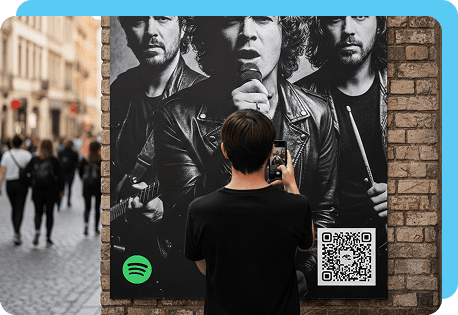
What Is a Spotify QR Code?
A Spotify QR code is a scannable image that links directly to music, podcasts, playlists, or artist profiles. When someone scans it, the Spotify app opens and leads to the content you selected.
In reality, it’s a type of social media QR code that makes it easy to share audio anywhere, from digital posts to printed materials.
Benefits of Sharing Audio With Spotify QR Codes
These codes let you reach listeners who prefer to scan over search. With a dynamic code, you can also track scans to understand your audience activity. Here are some benefits of sharing audio with Spotify QR codes:
- Enhanced promotion: Market your audio instantly on posters, flyers, business cards, or digital posts to reach more listeners.
- Increased engagement: A quick scan eliminates extra steps, making it easier for people to find and interact with your content.
- Cost-effective marketing: You can reuse the same code across platforms, saving time and reducing design or printing updates.
- Performance analytics: Dynamic codes let you track scans so you can measure interest and refine future promotions.
- Contextual music for gyms, cafés, or boutiques: You can offer themed playlists or mood-based mixes that enhance the atmosphere in certain spaces.
The Best Ways Content Creators and Artists Can Use Spotify Codes
As a freelancer or independent creator, you need simple tools that help you reach new listeners. A Spotify scan code makes it easier for people to discover your work without extra steps. The following ideas show how influencers, musicians, podcasters, and other professionals like you can add Spotify codes to their everyday marketing.
Use Spotify codes to grow your podcast audience
A Spotify QR code for content creators helps you instantly connect your podcast to new listeners. You can place a code on your business cards, episode graphics, or email newsletters. When someone scans it, they are directed right to your show or a featured episode.
Get people to listen to your music with Spotify QR codes
Independent musicians can use Spotify codes on posters, merch tags, digital banners, and album art, helping you promote new releases during gigs or livestreams and grow your audience.
Share playlists easily with a Spotify code
If you create themed playlists for clients or followers, a Spotify code makes sharing simple. Fitness coaches, DJs, or wellness creators often use playlists to enhance their brand. By adding codes to promotional materials or link pages, you help people easily discover your curated sound.
Create Custom Codes With a Spotify QR Code Generator
You can build social-media-ready QR codes that link directly to your audio using our tool. With our Spotify QR code generator, you can personalize colors, add a logo, and choose from static or dynamic formats.
Follow these easy steps to create your custom code:
-
 Open our code
 -
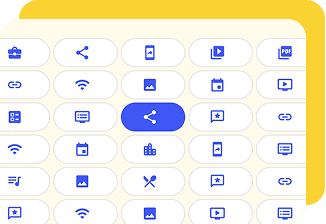 Choose the social media QR code type from the menu
 -
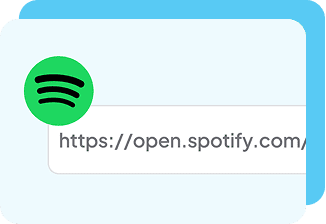 Paste your Spotify link
 -
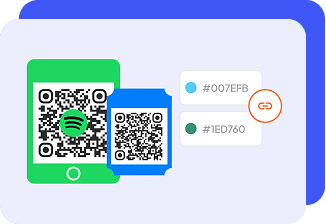 Customize the design and colors with our generator’s customization tools
 -
 Download and test your QR code and add it to your marketing materials
FAQs about QR Codes for Spotify
-
Your search for “how to get Spotify QR code for playlist” ends here because you can create a QR code for any Spotify playlist. All you need is the playlist URL. Paste the link into a Spotify code generator and customize your design.
This makes it easy to share themed mixes, collaboration playlists, or curated soundtracks with your audience.
-
To create a QR for your podcast, copy the link to your show or episode from the Spotify app. Then upload it to a tool like our generator a Spotify QR code maker that can generate your code in seconds.
-
You can generate a Spotify scan code on a PC by opening Spotify on your web browser. Copy the link to your track, playlist, or podcast, then paste it into a QR code generator like our tool. Choose your design style and download the final image.
However, with this code, you will not be able to track scans or customize the code to match your look. To do this, you can use our generator to make a code that fits your brand.