Why Use QR Codes in Graphic Design?
QR codes bring a creative and practical edge to your design work, but there are always more ways they can help you.
- Share all types of content seamlessly: Link to videos, websites, PDFs, or social channels in one quick scan.
- Promote and enhance your professional image: A sleek QR adds a tech-savvy touch to your branding.
- Improve engagement with your work: Clients interact directly with your art through instant digital access.
- Stay up-to-date with fast sharing: Update codes dynamically to keep your materials fresh and relevant.
Integrating QR codes into posters, packaging, or digital layouts makes it easy to obtain leads right after you capture clients’ attention. In turn, they’ll see you as someone who values ease of access and their time. That’s effective QR code marketing for graphic design services at work.
Best Uses of QRs for Graphic Designers
QR codes for illustrators and designers can be applied across all sorts of media. Here are the most effective ways to showcase your work.
QR code business card for graphic artists and illustrators
With our platform, you can generate different QR code business card examples for graphic designers. A digital business card for designers makes saving your contact information easy and can feature custom branding for a polished look.
Design portfolio QRs
Create a graphic design portfolio QR code that can lead clients to Behance, Dribbble, or your website. You can also showcase galleries or curated project collections with one scan.
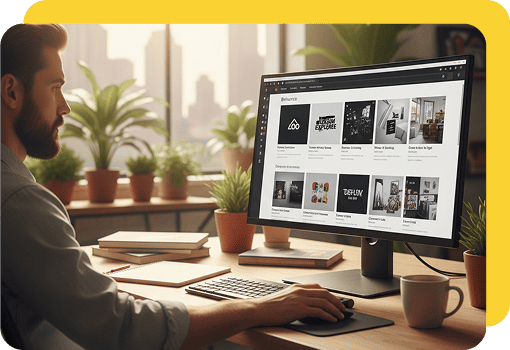
PDF lookbooks and guides
Creative QR codes for designers can link to PDF files such as pricing sheets, brand guides, or design catalogs. That way, you can share detailed content without having to rely on printed materials.

MP4 QRs to showcase work
You can use QR codes to connect clients directly to MP4 or video files. It’s ideal for showreels, animated demos, or UX project walkthroughs that highlight your expertise.
Feedback and design review codes
QR also makes it simple to collect client feedback on drafts or final projects. Quick access through a scan encourages clients to share valuable input, making the review process faster and more effective.

Social media QR codes for designers
These codes can instantly connect clients to your LinkedIn, Pinterest, TikTok, or Instagram social profiles, making your online presence easy to access.

QR Code Marketing for Graphic Artists and Designers
QR codes make it simple to market your services creatively. Here are some ways to include them in campaigns:
- Add a QR code to your email signature.
- Share your portfolio on posters or flyers.
- Print a QR on your packaging designs.
- Include a code in design proposals for instant access to samples.
- Use QR stickers at events to drive traffic to your site.
- Place a QR on invoices to request feedback or reviews.
How to Create a QR Code for Graphic Designers
Creating a QR code is quick with OnlineQRcode. Here are four easy steps to get started:
-
1. Choose your code type
Decide what you want to share: your portfolio, a business card, a video, or your social media accounts.
-
2. Enter your content
Paste a URL to your portfolio, social profile, or video. You can also upload a PDF, such as a pricing sheet or catalog. Give each QR code a clear name for easy tracking and management.
-
3. Customize the design
Add custom colors, upload your logo, or adjust the frame. You may also use our platform’s AI tool to create personalized QR codes for graphic artists.
-
4. Download and test
Download the final design in high resolution, then scan it on your phone. Make sure your QR works correctly before sharing it across digital platforms or printed marketing materials.
FAQs About QR Codes for Graphic Designers
How can I generate a QR code business card for designers?
Toggle faqs
A traditional business card shares only limited static details, while a vCard QR code showcases much more. With one scan, clients can instantly save your full name, phone, email, website, portfolio, and social links.
Printing a QR on your business card lets you bridge the gap between your digital and physical presense. When designing, however, always size the code properly so it scans quickly, even on a printed card.
How do you customize a QR code design?
Toggle faqs
With OnlineQRcode, you can change colors, add your logo, and edit frame text to match your aesthetic. That will help your code feel integrated into your designs rather than tacked on. You can experiment with different looks and use our AI tool until you feel as though it fits your brand.
What’s the best QR code maker for graphic artists?
Toggle faqs
The best QR code maker for graphic artists combines design flexibility with robust analytics. OnlineQRcode does that and more. You can create static or dynamic QR codes, customize their look to match your brand, and update destination links without reprinting.
Built-in tracking provides scan counts, locations, timestamps, and device data so you can measure campaign performance and client interest. That insight helps you prove ROI, refine placements, and prioritize high-performing pieces.

Writer & entrepreneur
Nick Saraev is a writer & entrepreneur who pivoted from a path in medicine to forge a series of successful digital media businesses. He's been featured in Popular Mechanics, Apple News, & Bloomberg, and is an Amazon Kindle best-seller.